
Demo Mode
Demo mode is a one-tab observation mode for reference games. It is useful for learning the interface, checking visible behavior, and demonstrating how a game proceeds.
Open it from the home page with Demo. Use Back to choices at the top of the Demo page to return to the main entry choices.
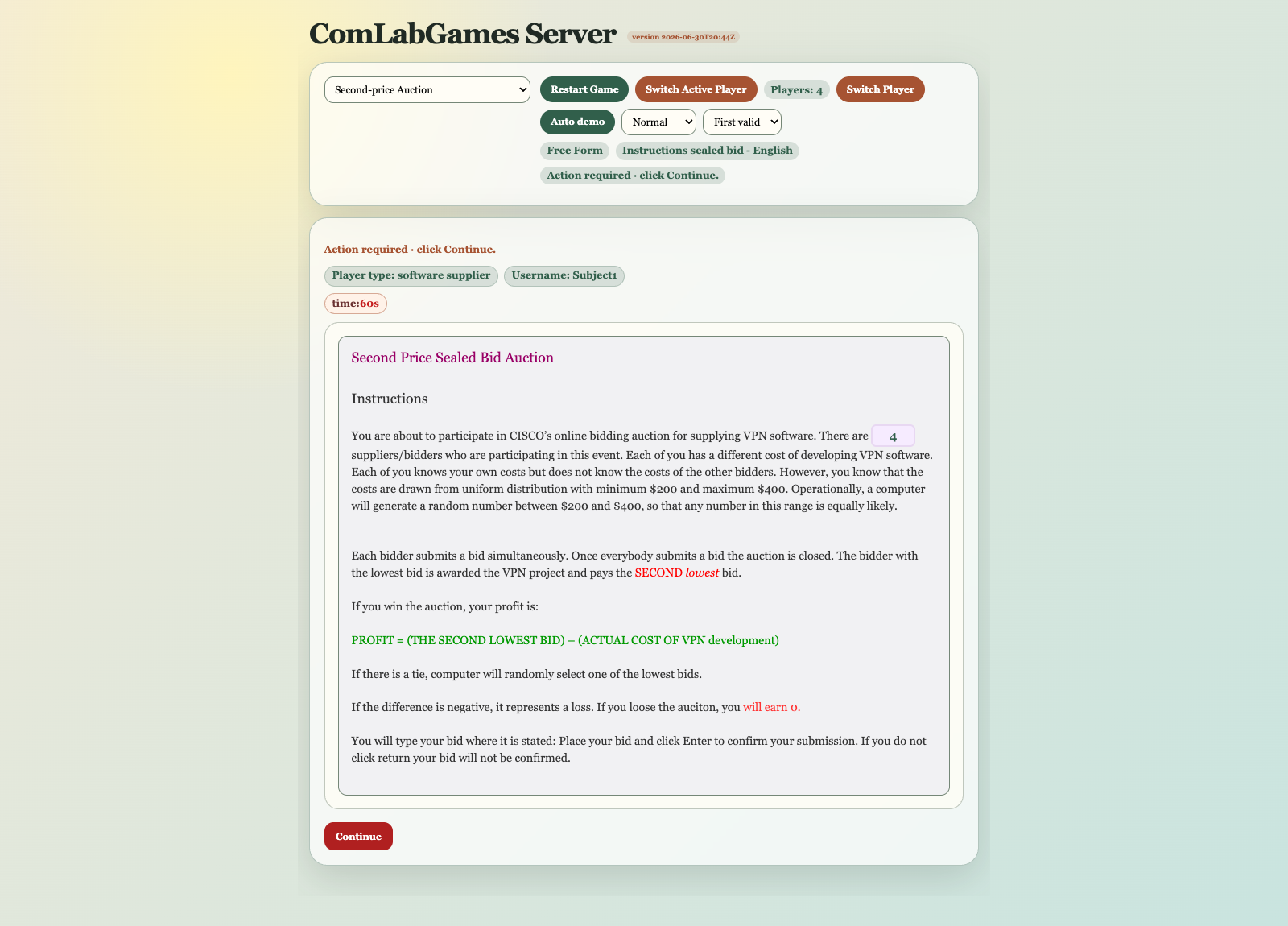
Demo Controls
Demo has a top control panel and the shared game panel.
The top panel is only for Demo. Normal player tabs opened from a moderator room do not show it.
Common controls:
- reference game dropdown,
- Start Game or Restart Game,
- Switch Active Player,
- Auto demo or Stop auto,
- Auto demo speed and strategy controls.
The summary below the commands shows Players, Game, Stage, and Status. Labels are emphasized while their changing values use a smaller reading size.
Reference Game Dropdown
The dropdown lists built-in reference games by teaching names. Extensive Form and Strategic Form suffixes are omitted from labels where the game name is already clear.
The reference game list covers:
- Extensive Form examples,
- Strategic Form examples,
- Auction and bargaining examples,
- Market examples.
Start Or Restart
Click Start Game to start the selected reference game.
The Demo automatically joins the required players for that game. After the game starts, the button becomes Restart Game. Restart creates a fresh run for the selected reference game and refreshes the player cards.
Player Cards
Player cards appear directly below the Demo controls after a game starts. Each card shows the player's number, login name, role, and current state.
Click a card to show that player's view. This lets you inspect players who are waiting as well as players who need to act. Selecting a card changes only the displayed player; it does not submit an action or advance the game.
The selected card is visually marked. A player whose state is Action required has a stronger active marker. Cards are temporarily unavailable while Auto demo is running.
Switch Active Player
Switch Active Player asks the server which player is currently active and moves to that player when possible.
Use it when you want to follow the player who should act next. Use the player cards when you want direct control over which player's view is displayed.
Auto Demo
Auto demo can run supported reference games automatically.
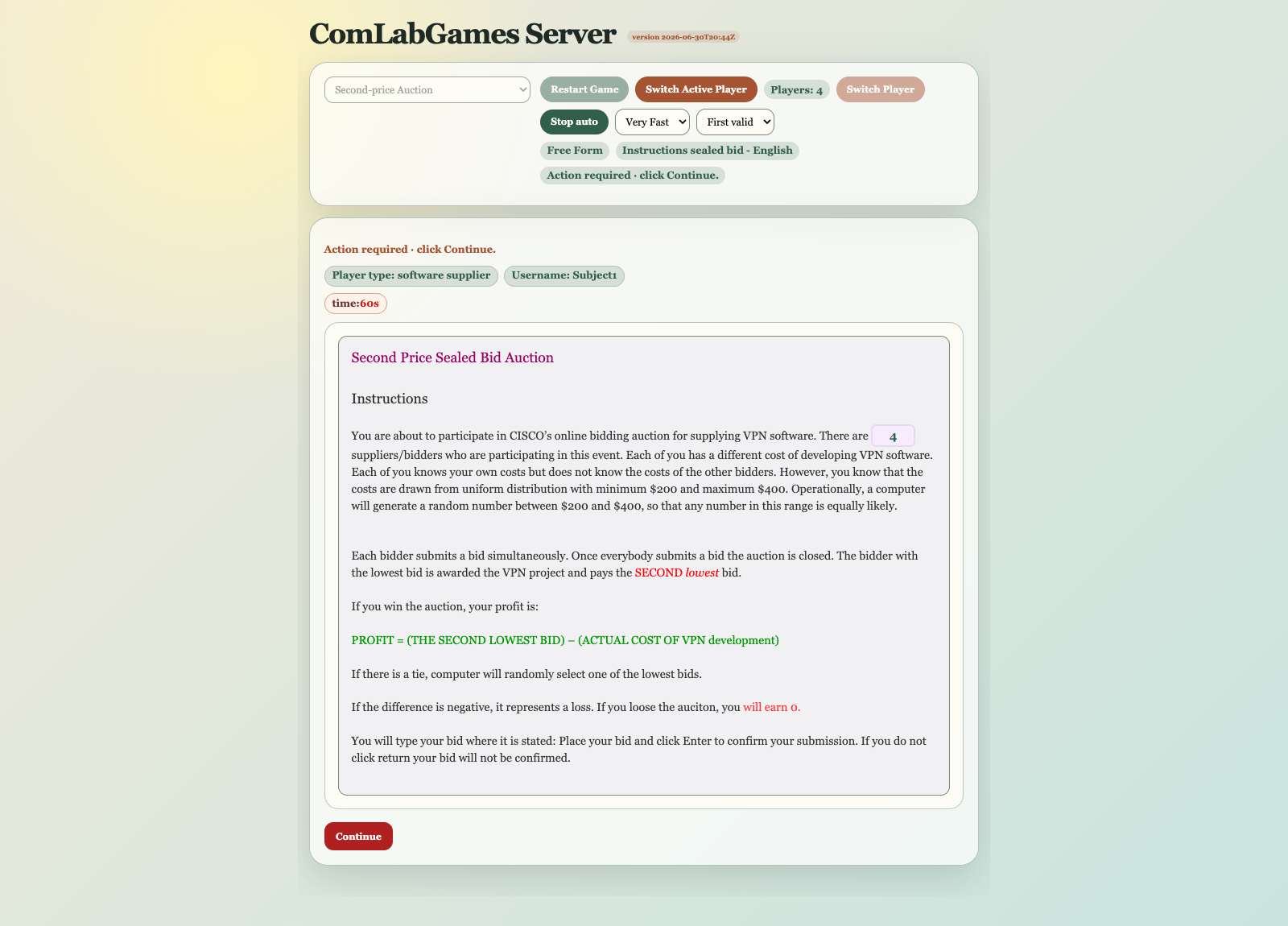
During Auto demo:
- the current target is highlighted,
- inputs or controls are filled through the visible browser interface,
- the appropriate player view is selected automatically,
- the reference game, restart, and player-card controls are unavailable,
- Auto demo becomes Stop auto,
- market demos stop when the configured action limit is reached,
- terminal or finished pages stop the automatic run.
Auto demo is for demonstration. It is not a substitute for testing uploaded games with separate player tabs.
When To Use Demo
Use Demo for:
- quickly reviewing the shape of a reference game,
- checking visible player pages,
- demonstrating a game family,
- switching directly between player views in one tab.
Use moderator Open test for:
- uploaded games,
- realistic multi-player browser behavior,
- pre-class checks,
- any issue that depends on separate player tabs.