
Logs and Run Analysis
Run Logs preserves what the server recorded after a game is started. Use it to inspect a run, compare its sessions, export deterministic data, or prepare structured input for an external AI assistant.
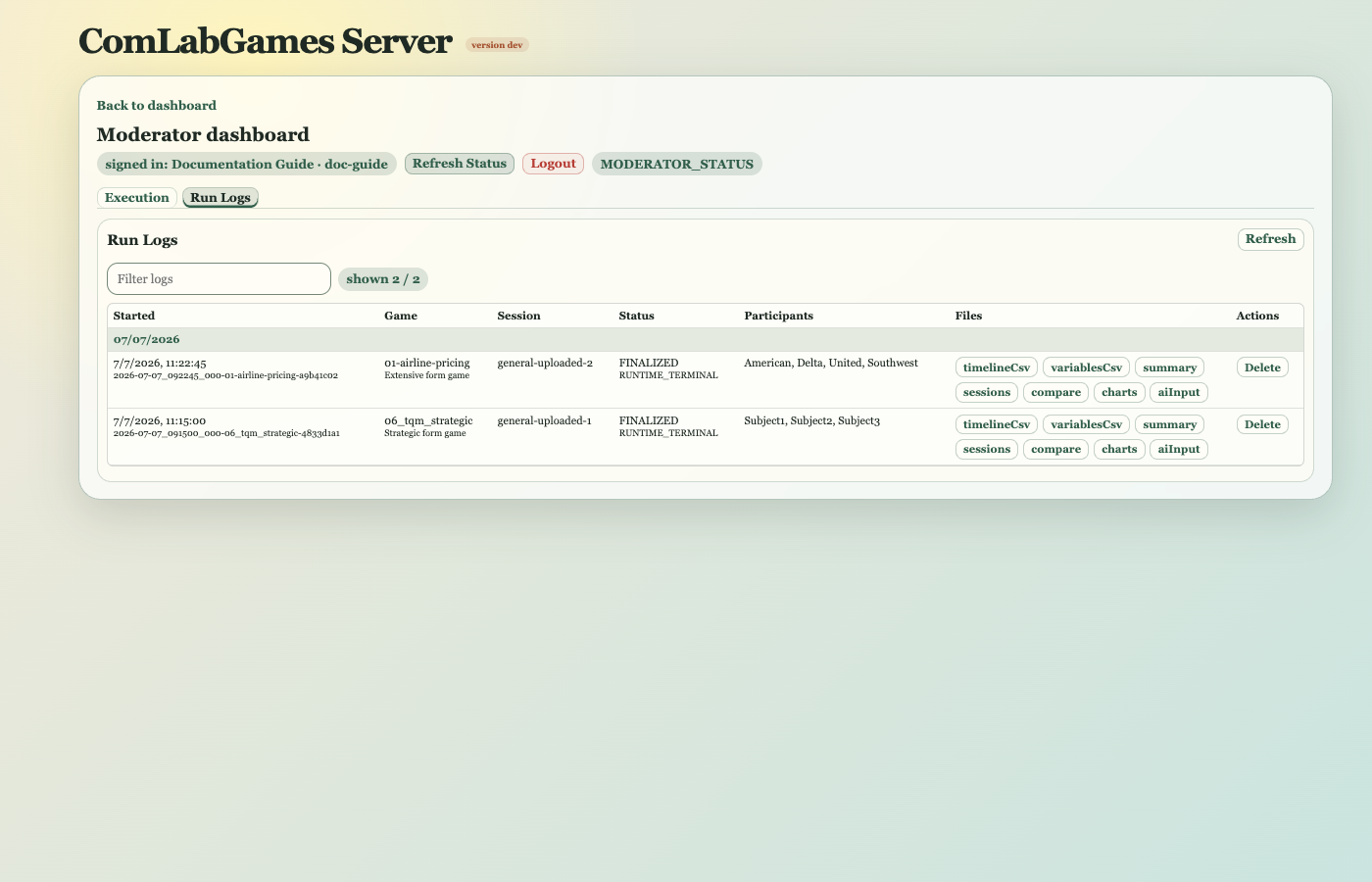
One run begins when a moderator starts a game definition. It may contain one or more sessions.
Opening A Run
Click Open run log to open the searchable run chooser. Runs are grouped by date and show start time, game, and status. Selecting a row opens its analysis.
The chooser may show a live run badge while the run is still open. A server restart closes affected runs as abandoned with the completion reason SERVER_RESTART; those rows are historical, not live.
When loading or processing takes noticeable time, an Opening run log... working indicator covers the operation.
Analysis View
The analysis document presents only the blocks supported by the game and recorded data. Depending on game family, these may include:
- run and session metrics,
- participant activity,
- Variable and Choice history,
- Auction outcomes,
- Market price and transaction history,
- Strategic Form choices and payoffs,
- Extensive Form realized paths,
- Free Form Stage progression and outputs.
Session and Auction filters narrow compatible blocks. Table headers can be used for sorting where available. A preliminary live analysis may change until the run is finalized.
Viewer Actions
The viewer toolbar can:
- reopen the deterministic analysis,
- open AI input,
- copy the current document,
- download it,
- delete the run log,
- close the viewer.
Deletion requires confirmation and cannot be undone through the GUI.
AI Input
AI input is a Markdown report assembled from run metadata and available deterministic analysis. It is intended for pasting into an external AI assistant. It asks the assistant to summarize outcomes, compare sessions where possible, and state uncertainty when evidence is incomplete.
The browser attempts to copy the report and confirms whether clipboard access succeeded. If clipboard access is blocked, the report remains selected for manual copy.
Interpreting A Run
Run Logs records server events, not every visual detail a participant happened to see. Treat unfinished, abandoned, or live analysis as partial.
For Extensive Form Games, only decisions on the realized path are player decisions, although all intended payoff recipients may receive a terminal payoff. For Market Games, timer-driven updates and transactions can create events without a new participant click.
Analysis presentation is still evolving. Preserve the original run when a result appears inconsistent so the event history and definition snapshot remain available for diagnosis.
For chooser fields, universal and game-specific analysis blocks, counts, filtering, and partial-data rules, see Run Log And Analysis Reference.